
How to create terrifying horror game concept art using ZBrush, Blender, and Photoshop
Creative Bloq
by Athena Productions February 23, 2026
AI-Generated Deep Dive Summary
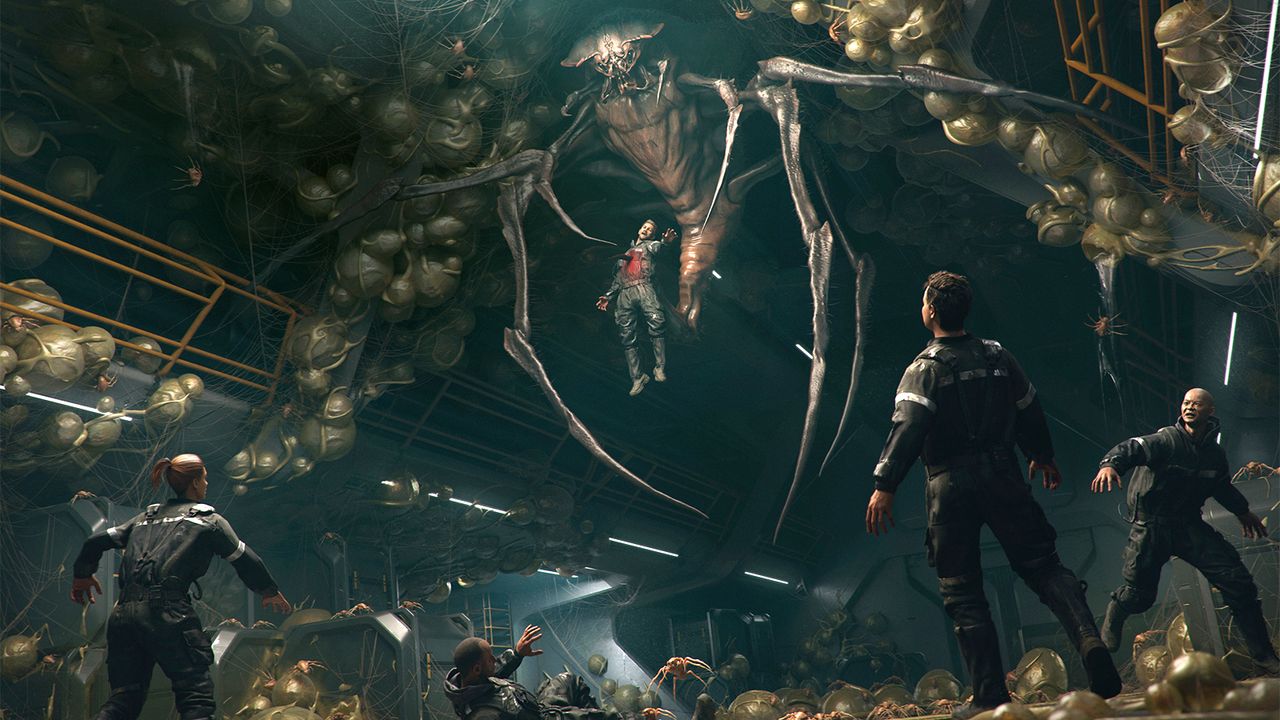
Creating terrifying horror game concept art requires a blend of intentionality and technical skill. The process involves carefully crafting each design decision to evoke fear by building tension, atmosphere, and emotional impact. Tools like ZBrush for sculpting, Blender for 3D modeling, and Photoshop for initial sketches are essential for transforming ideas into visually compelling scenes. By focusing on the story behind each piece, artists can guide their audience's emotions effectively.
The process begins with establishing a clear narrative or "hook" that drives design choices. Collecting references ensures accuracy while blending realism with fantasy elements. Early sketching in Photoshop helps iterate quickly, exploring creature silhouettes and rapid ideation without over-detailing. Once a direction is found, ZBrush is used to refine the monster's facial structure and body shapes, employing techniques like IMM brushes and Dynamesh for precise sculpting.
Environment design follows, with Blender used to create dynamic layouts—such as multi-level corridors—that enhance horror by adding verticality and staging opportunities. Supporting elements like spiderlings are crafted as simplified versions of the main creature to emphasize their role as offspring. Hard-surface modeling tools like HardOps and Boxcutter help build environments efficiently before details are added.
The importance of this approach lies in its ability to create immersive, emotionally resonant visuals that
Verticals
designart
Originally published on Creative Bloq on 2/23/2026